ux-portfolio-TheRealKrawll
Rotating Vertical Fan
by Nicholas Shaddox October 13th, 2022
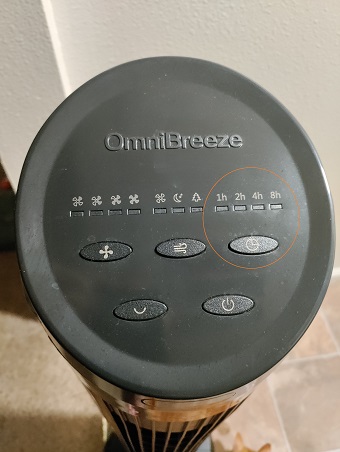
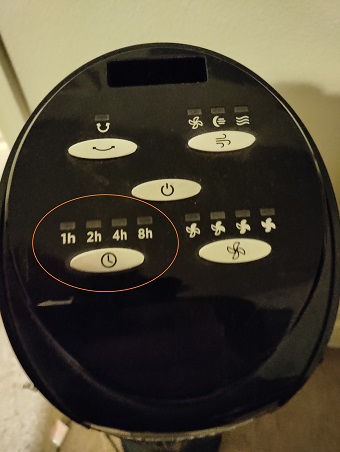
With the summers being so hot in Chico, a fan is necessary to keep the energy costs down from running our HVAC all summer. We opt for the vertical fans because they take up less space than traditional ones but they have a few features that I haven’t fully bothered to discover. Although there are two fans from different brands, OmniBreeze (left) and Sierra (right), they are nearly identical in their function and UI. I will not be detailing the differences in this journal. I just wanted to point out that this seems to be a common interface that has been adopted as standard.
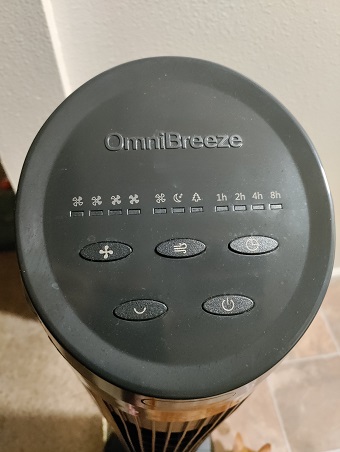
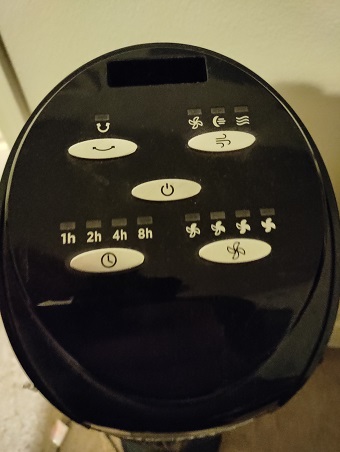
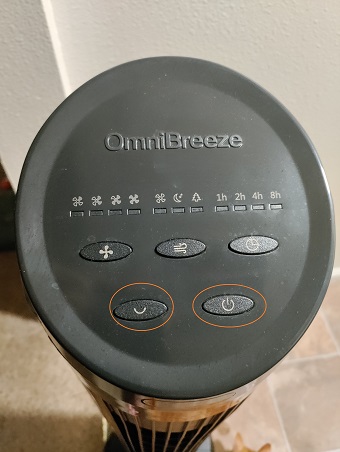
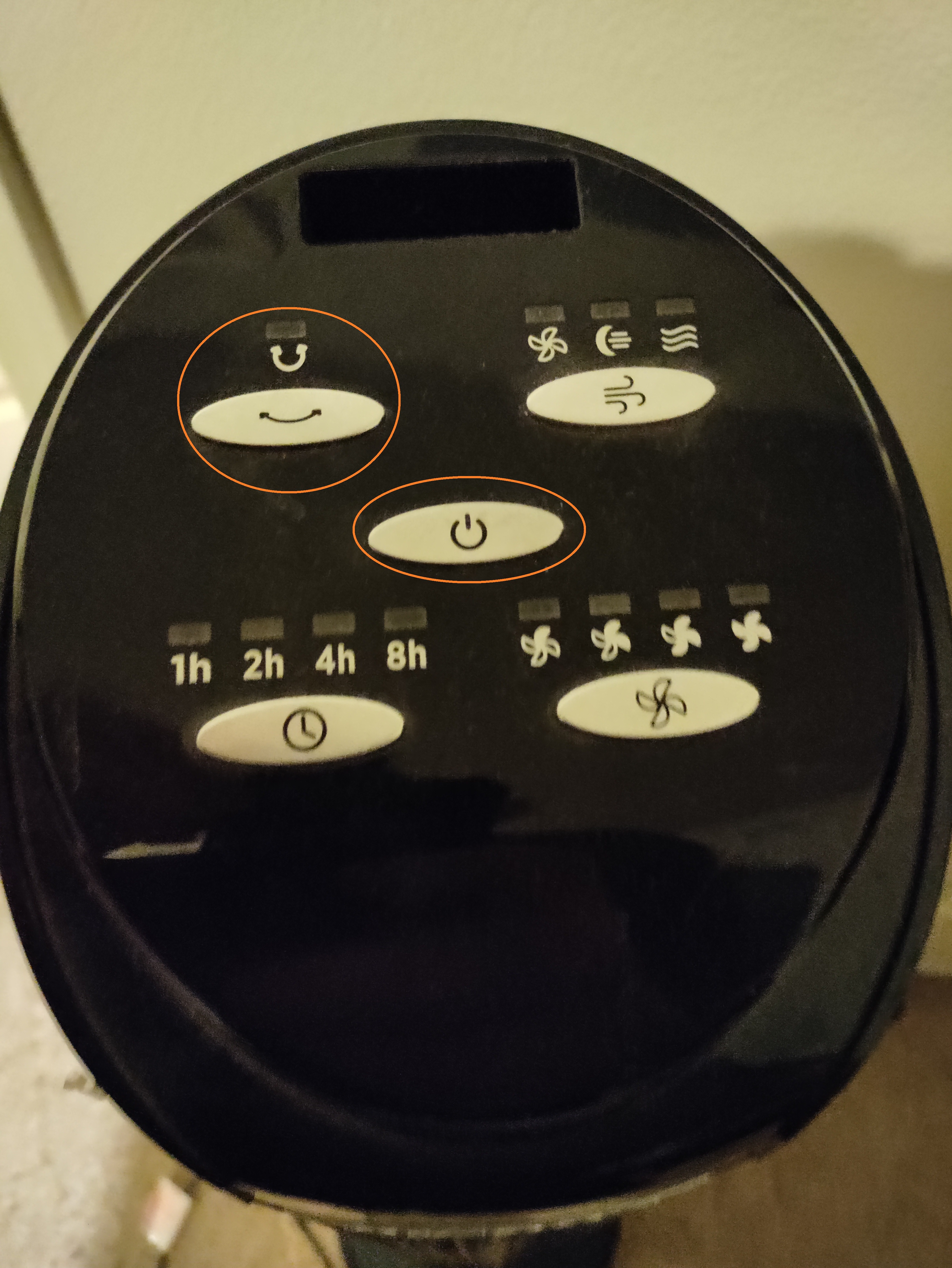
I will start with the most obvious buttons first; the power button (circle with a dashed line) and the rotate button (half circle). The power does exactly what you think it does, it turns on the power. The rotate button will make the fan oscillate by about 60%. Nothing shocking here.
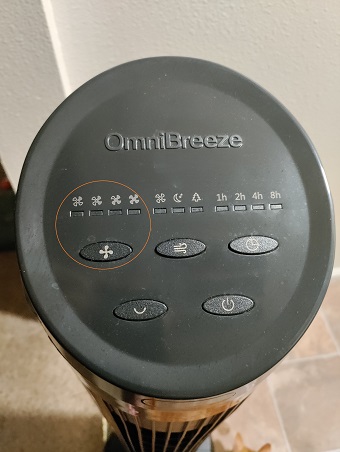
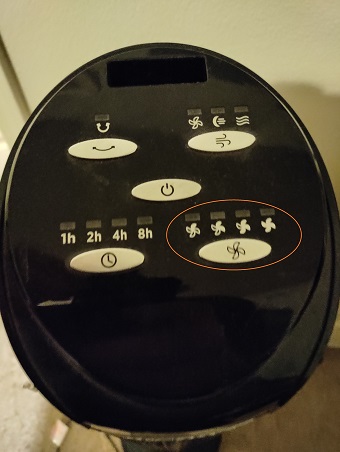
Where it gets interesting is the fan button showing a different number of fan blades shaded in and increasing from left to right. I have accidentally hit this button several times (for which I can say the same for all of these buttons). My initial thought for this button was that it increases the strength of the fan. If that is the intention then I think both of my fans are broken. On both of the fans, this button does absolutely nothing. My wife and I were hoping the newer fan had this feature since it was a different brand but that was not the case.
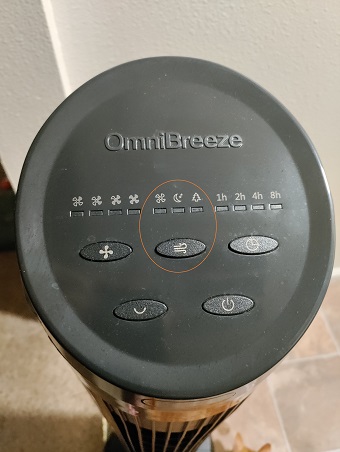
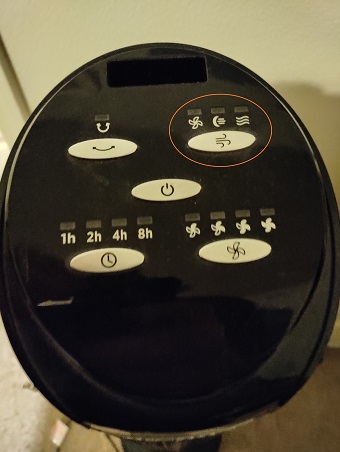
The next button is the button that looks like a breeze blowing. It has three settings; fan, moon, and wave/tree. Before doing this journal I was sure that these were just as useless as the ‘fans’ setting. I’ve had this setting on the ‘moon’ since I got them. It started there so we just left it. After some testing, it turns out to do exactly what you might think. I clicked the button and set it to wave/tree and it got louder…then quieter…then louder again. Its strength changes at consistent intervals (like every 6-8 seconds). That was the moment that I realized why the fan button wasn’t working. It’s because we didn’t have it on the fan setting. Once I turned on the fan setting then the fan button started working. The moon setting was intentionally keeping the fan low to keep the sound low. Although this button was difficult to understand without testing, the icons make it easy to memorize since they do a good job of representing the function.
The last button is the clock button. I feel that this one is fairly easy to understand without using it but it has a quirk that I hate. It looks like it has four settings but it has 16 settings. Pressing it once turns on the 1h (set to turn off in 1 hour) and pressing it a second time sets it to 2h. However, when you press it a third time, both 1h and 2h are lit up which sets the time to 3 hours. The 0 setting (no lights on) turns off the timer and when all are lit up it’s a 15-hour timer. Although this one is the most complicated is it easily learnable since you are forced through the cycle if you make a mistake.
I now have a better understanding of these fans after exploring the options. Had I learned them sooner, I could have saved more money during the summer. The only change I would make is for the timer button. I don’t think we need that kind of accuracy on the time. It should be fine to limit it to the options listed on the UI (1h, 2h, 4h, 8h). I’m only suggesting this change because every time I hit that button on accident, I have to press it 15 more times which hurts its usefulness.