ux-portfolio-PJMenzies
The Satisfaction of a Steam Controller’s Batteries
By Peter Menzies
Written October 14th 2022
A few years ago when I was much more interested in video games on the computer Valve the company which owns one of the largest digital video game distribution stores started selling a controller for your computer. Swept up in the marketing and needing a controller for playing games in a more relaxed position I purchased one.
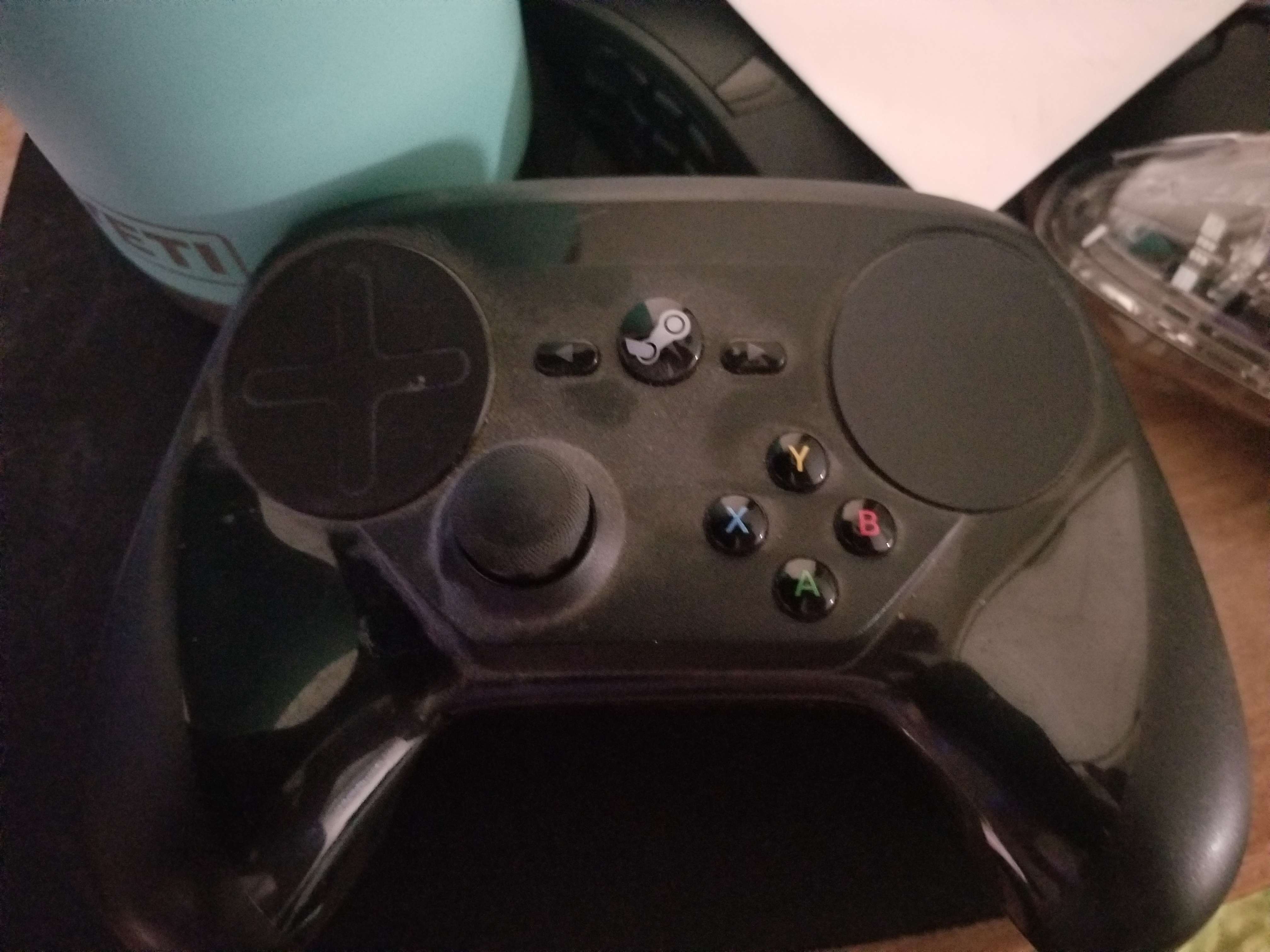
When the controller first arrived I discovered the most satisfying feature of this product. The way you put batteries in this controller makes it almost worth using. First I removed the back cover which has this sliding springy latch at the back which makes a satisfying pop up when the back panel is released.
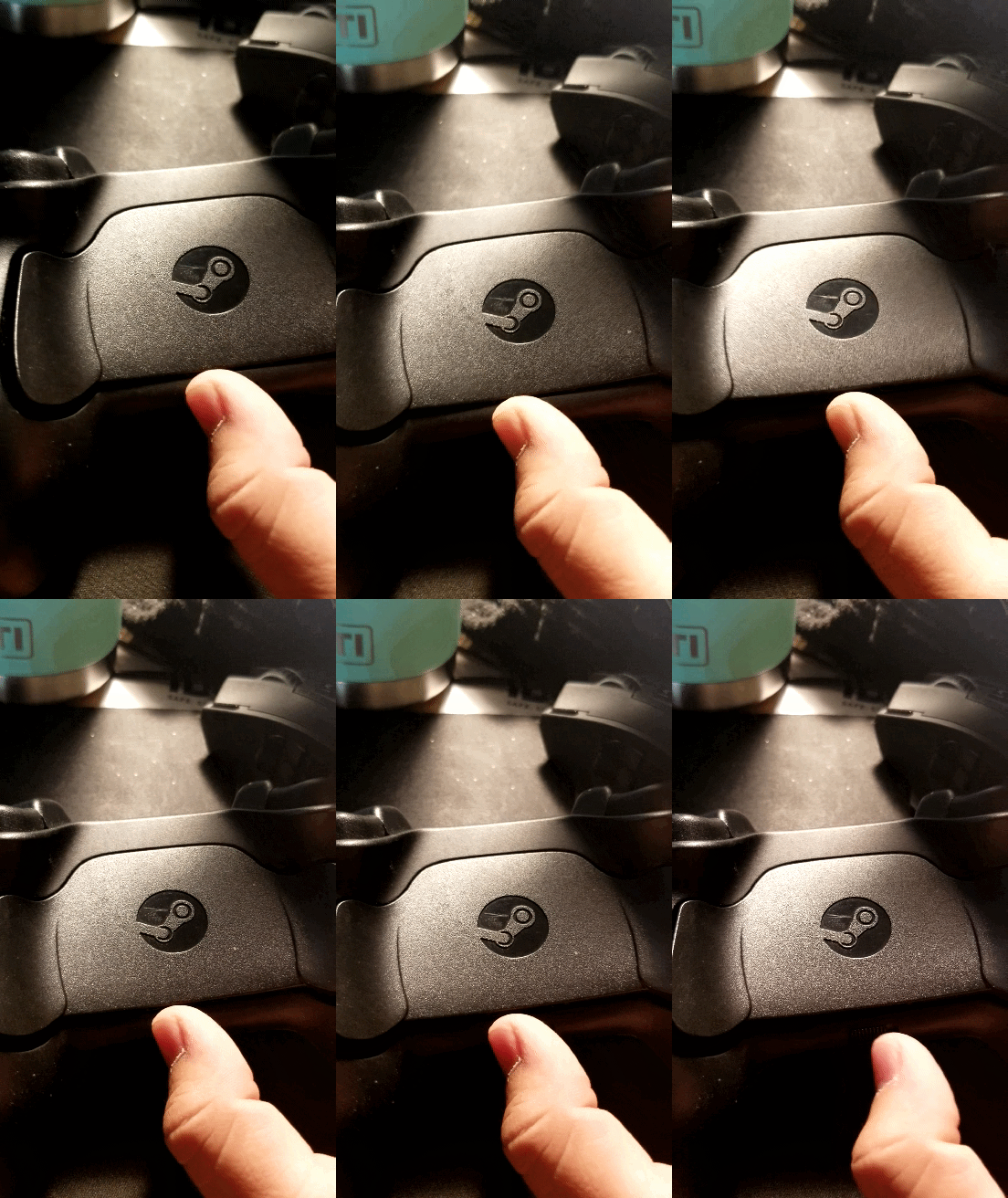
Behind the panel is a lot of information which can be a bit overwhelming at first but after a quick scan, I find two images of batteries with arrows next to them sitting next to the grips of the controller.
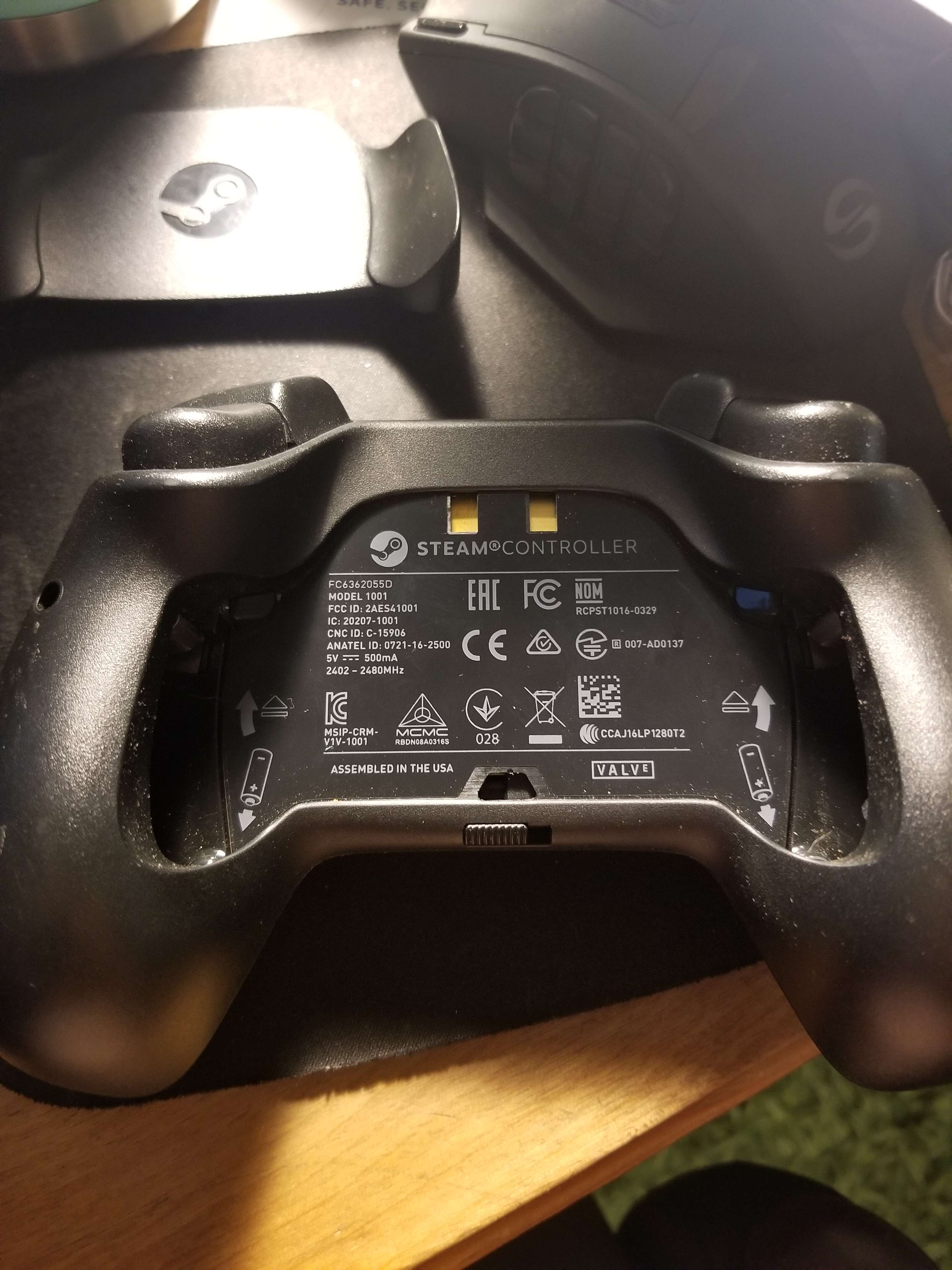
This is excellent mapping of how to insert the battery the proper way without needing to wonder if I’ve put it in the wrong way or not as well as gives me a hint where to look for the battery spot. Or at least it would be if when you pushed down on the battery it pushed into place or did something. My mental model was that I push down on the battery and it would be in its proper place ready for use. This didn’t match the conceptual model of how the controller actually works.
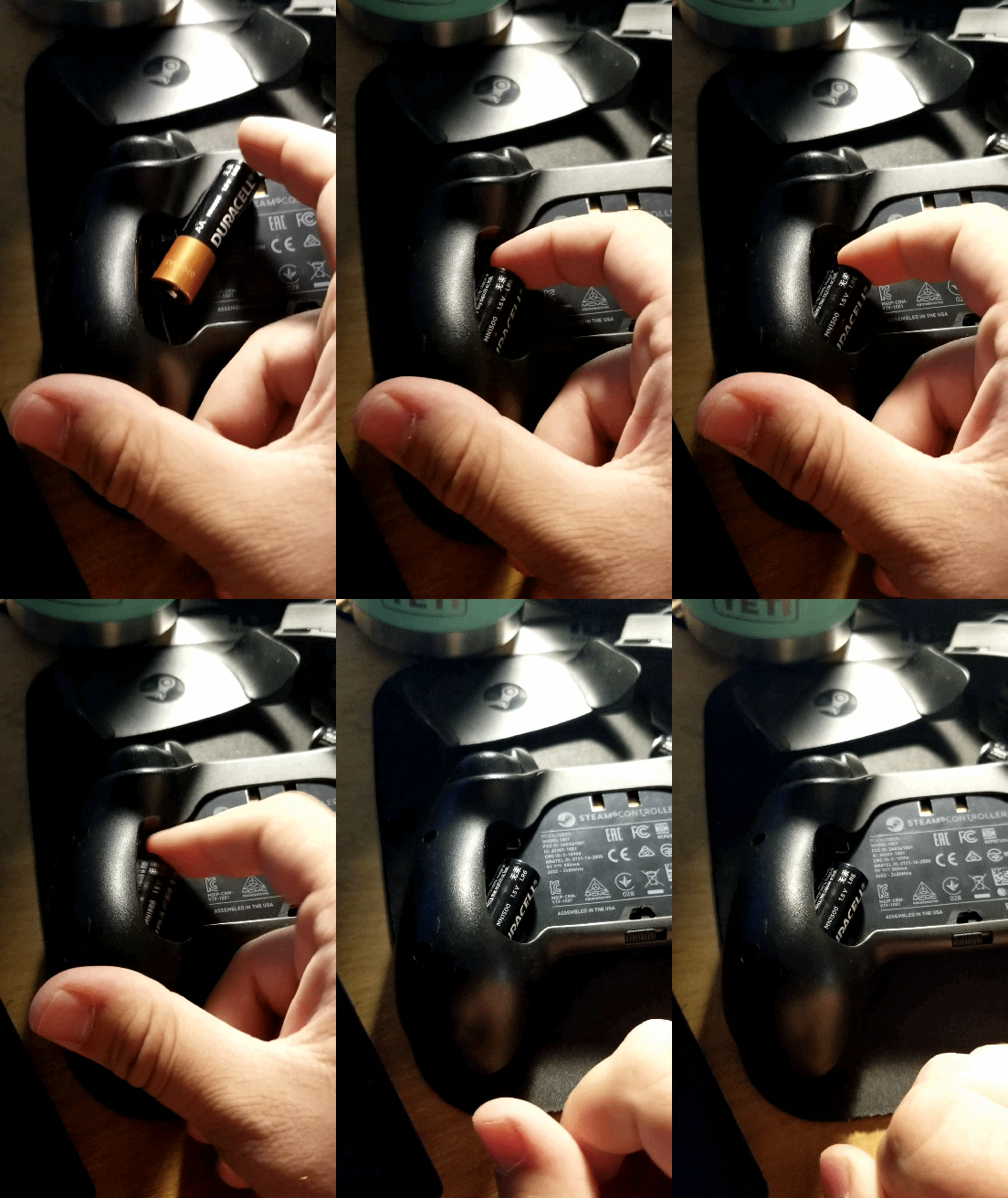
After a short amount of moving it around, I notice the only real place I can move it is left and right, so exploring I push a bit on the left which provides a decent amount of resistance, but a little plastic piece gives visual feedback telling me I’m making progress.
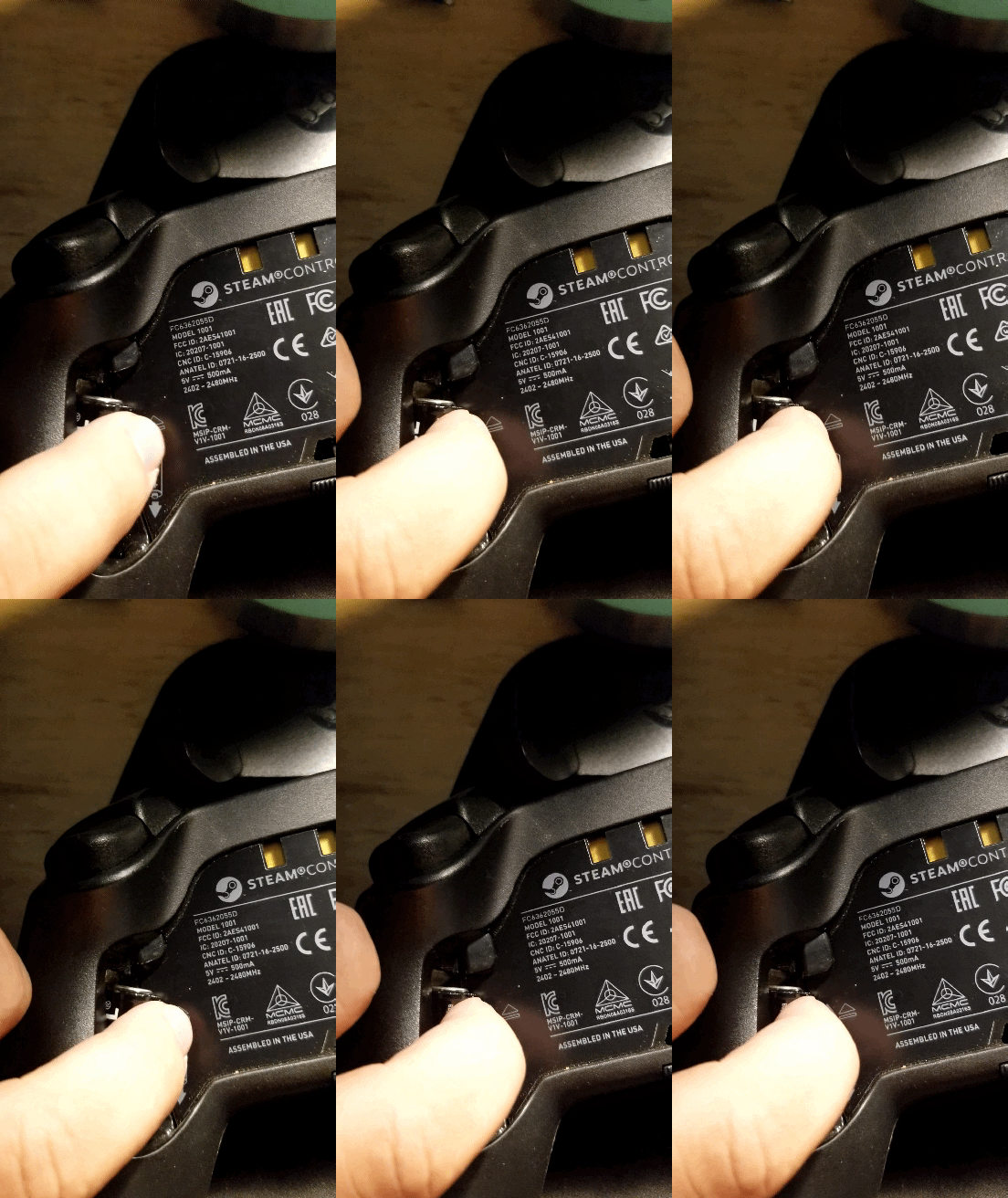
Pushing harder leads me to a very satisfying snap into place and that plastic piece fully popping out.
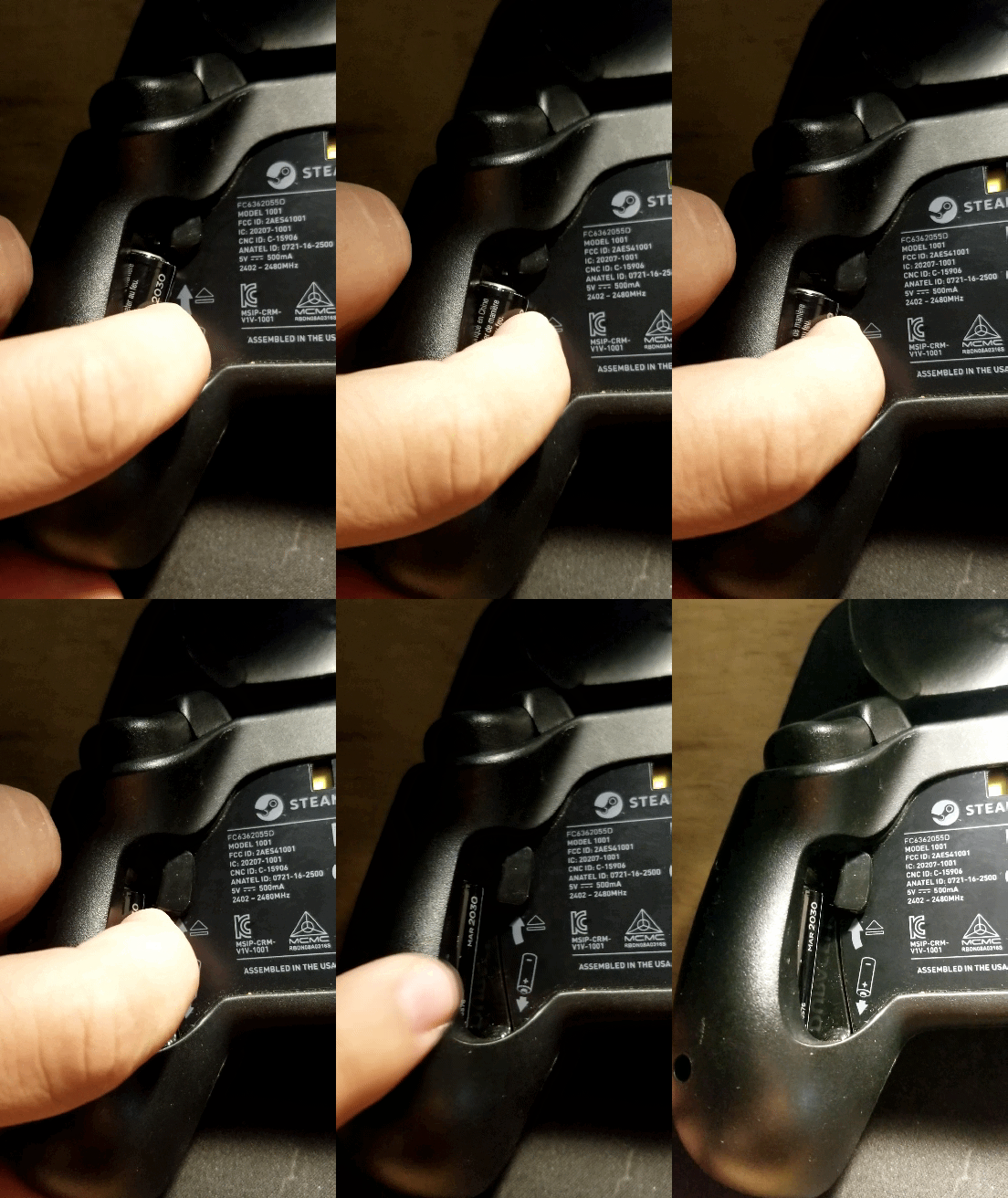
Now that the battery is set into place and everything is complete I noticed that the odd arrow pointing away from the battery diagram now is pointing at the plastic piece that pushed out as I pushed the battery in.

I was curious and thoroughly enjoying every pop and snap that this controller made as I was just putting batteries in, so I decided to push the button.
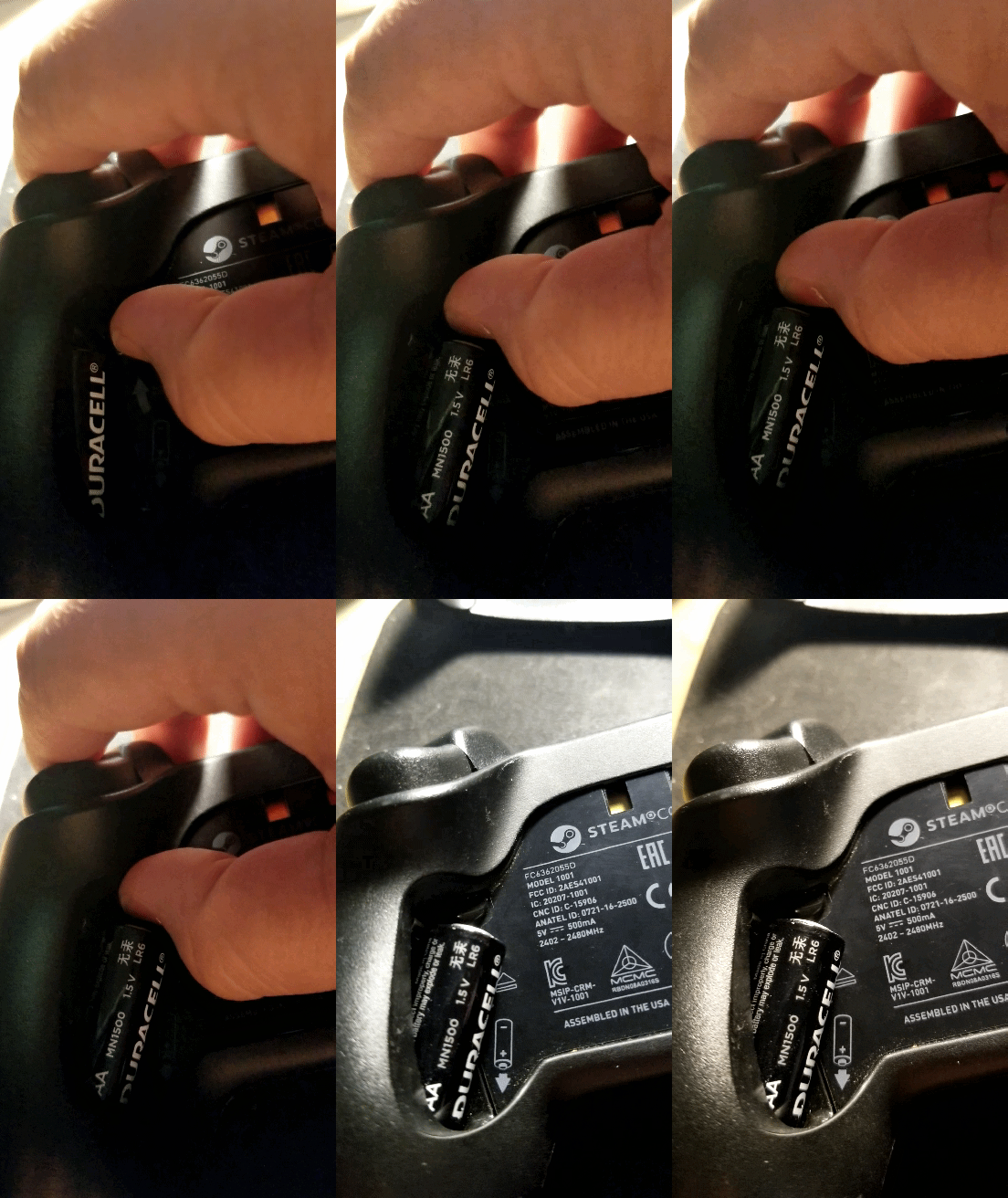
The Battery pops out making extraction so easy I didn’t even need to touch the battery.
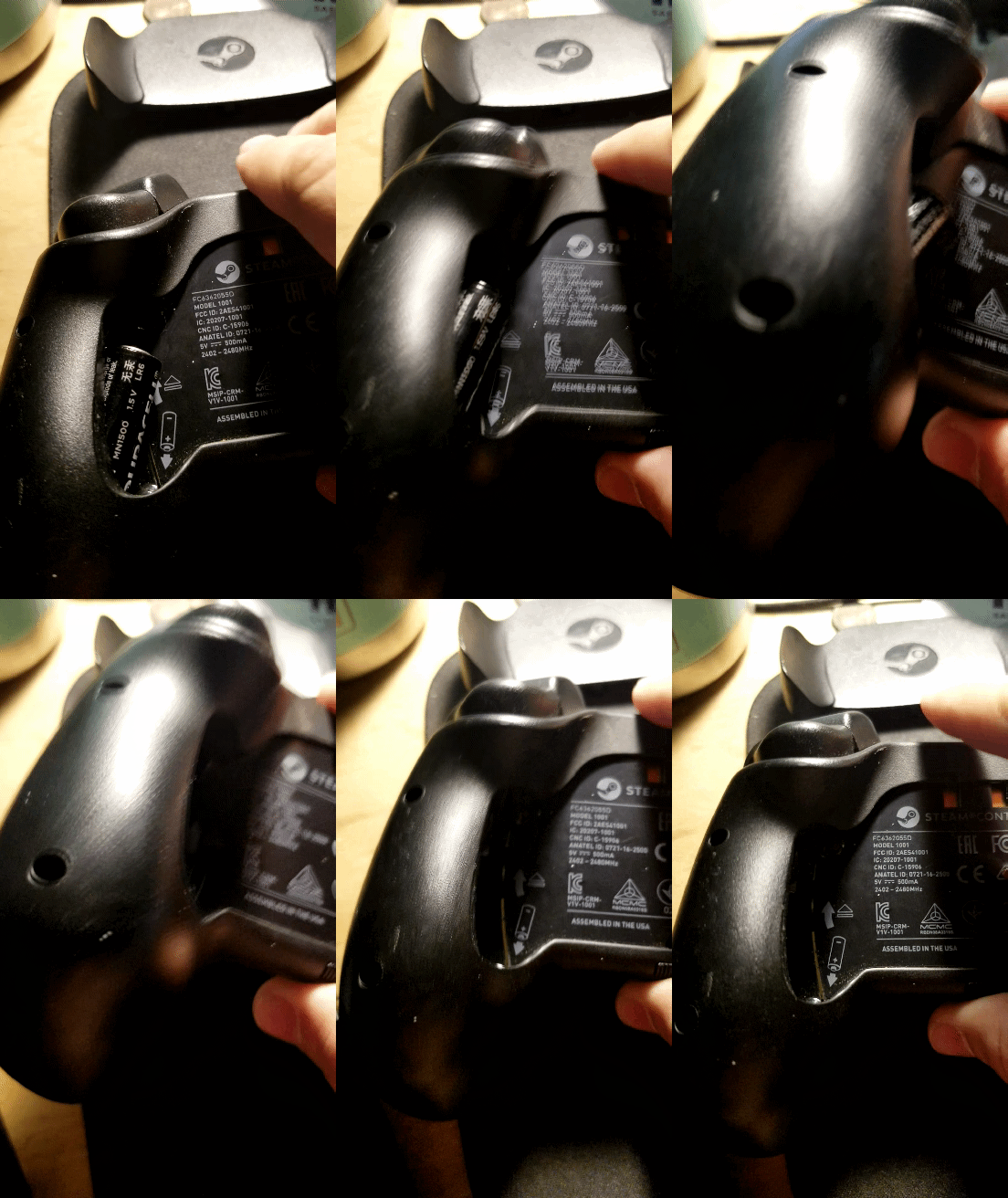
After I finished playing around with that I put the back plate back on to a very satisfying snap. My controller was ready to use and I was already enjoying myself before starting up any game.