ux-portfolio-MaximillianBarron
Second Journal Entry…
jo2: My Room Fan Experince
By Maximillian Barron - 12/15/22
After getting an electric fan from a friend when moving to Chico, I was determined to use it constantly. My goal was to learn how to use every function of it, so when needed, I could make the most of it’s purpose.
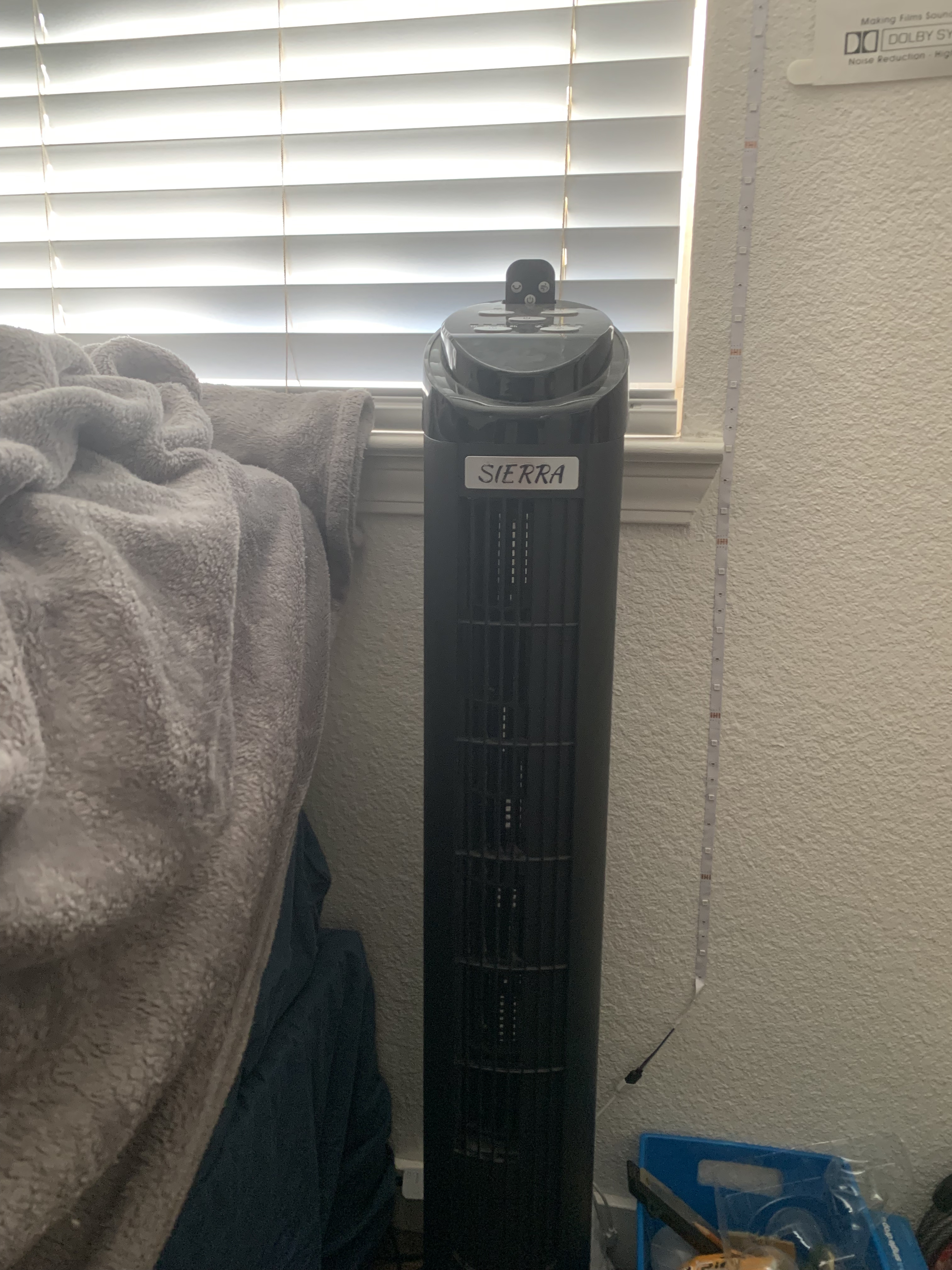
After plugging in this fan, the first thing I notice is that there are five buttons at the top.
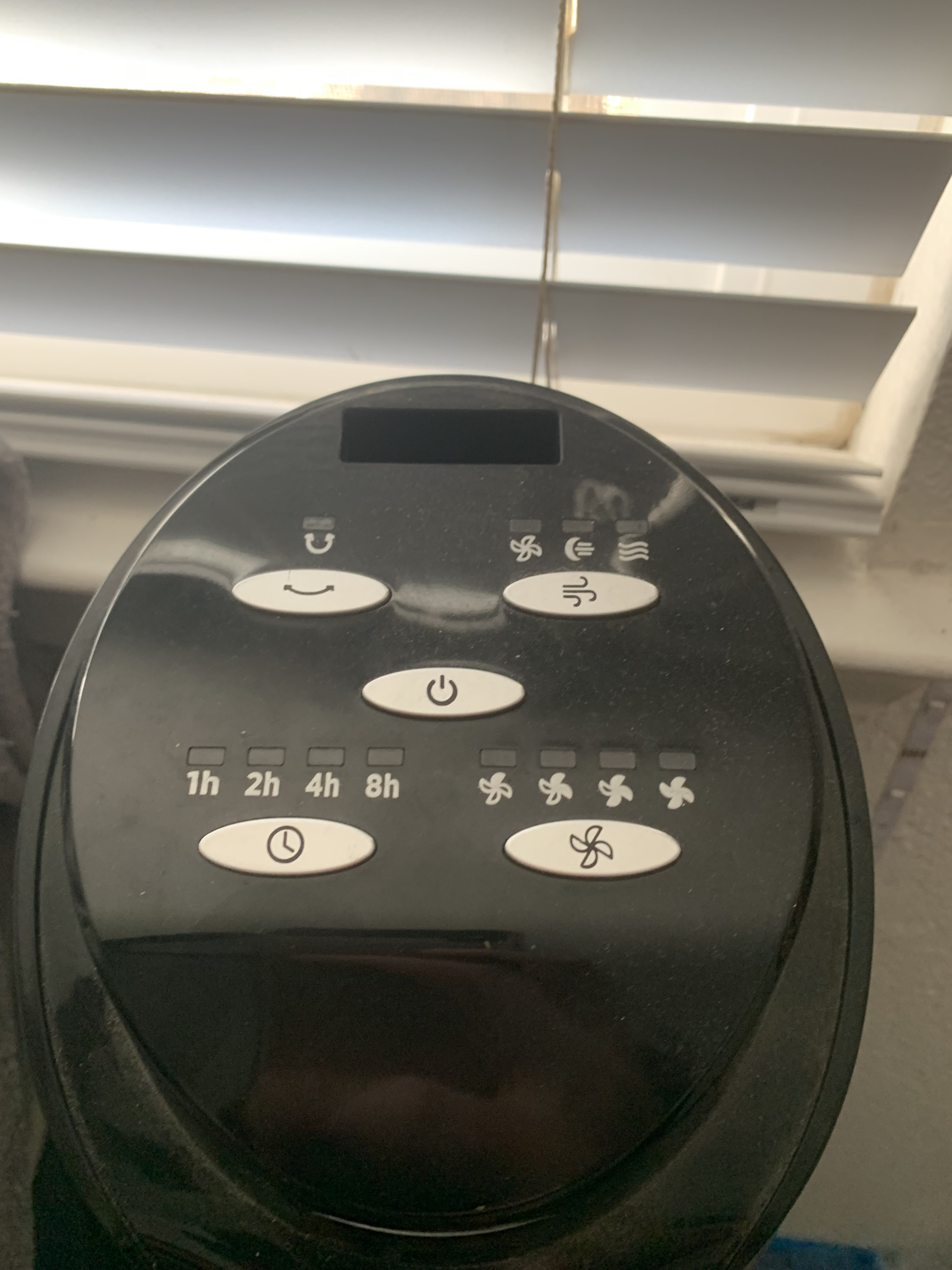 The easiest button to recognize was the middle button. The middle button is marked with a power symbol, a symbol that many electronics have to signal how to turn on a device. So when I pressed it, it turned on, as expected.
Next I tried the bottom right button. This button had a clock button, along with indicators that I believed to be certain time hour marks. After pressing this button, the light indicator of “1H” turned on. Clicking this button again turned that light off while turning on “2H”. At this point I realized that I didn’t want to wait hours and see if the timer worked, so I turned the fan off and on to reset it..
The third button I tried was the top left button. This button has a curved arrow that points in both directions. Clicking this button made the fan turn back and forth. I found this function to be very Useful because this feature gave me the ability to let air blow in any direction without having to pickup and turn the fan. Clicking this button again made it stop turning.
The fourth button I tried was the top right button, which was very confusing. The symbol on this button was lines that looked like an air symbol. I expected this to be hot or cold air. After pressing it multiple times and going through the options (as I learned previously that pressing the button multiple times chooses different options) I realized it changed how loud the fan was! One of the indicators had a moon on it, and when it’s on that setting, the fan is quieter. The fan must always be one of those modes if it’s on.
The last button is the bottom right. This button had a fan symbol, with indicators that also had fan symbols. Each indicator had one more fan blade colored in than the one before. When pressing this button, I realized it was just strength of the fan. The was very learnable because as a user, I can tell myself that when there are more blades, there is more air.
One weakness of this fan is that If you accidentally press one of the outer button, you must press it again three to four times to get back to the setting you want. That means there are unecessary clicks.